Alert Actions
- Attaching It
- What the Action Receives
- Opening a Case
- Notifying with Useful Content
- Updating a Lookup
- Conditional Response
- Handling Credentials
- Debugging
- Limits
execalert runs your code over the results of a scheduled search, after it
fires. It is the difference between an alert that tells somebody and an alert
that does something.
Attaching It
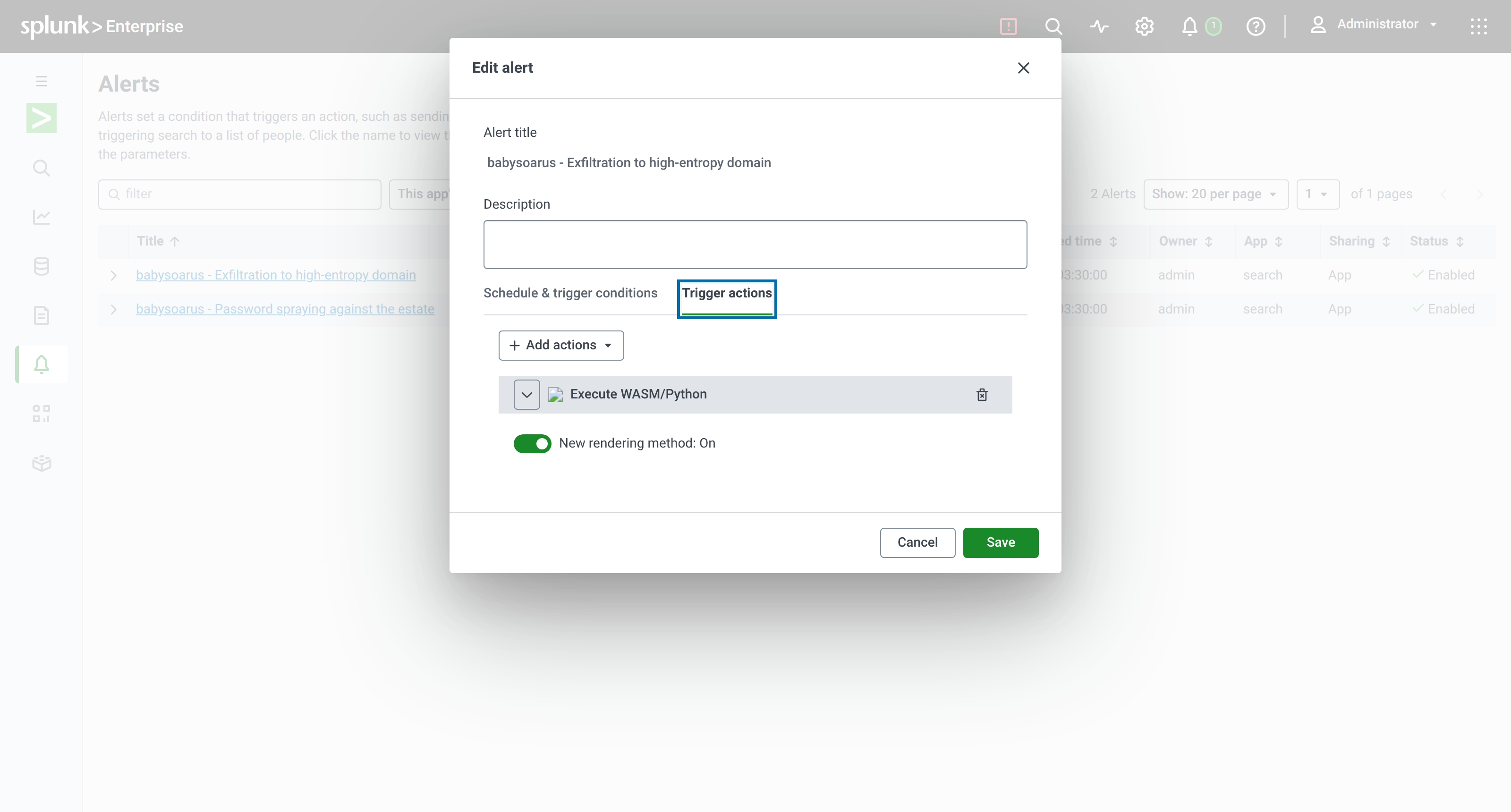
In the alert editor, open Trigger actions and add Execute WASM/Python:
Or in savedsearches.conf:
[Exfiltration to high-entropy domain]
search = index=proxy | stats sum(bytes_out) as bytes_out by host, dest_host | exec inline="..."
cron_schedule = */15 * * * *
dispatch.earliest_time = -15m
dispatch.latest_time = now
enableSched = 1
counttype = number of events
relation = greater than
quantity = 0

action.execalert = 1
action.execalert.param.inline = for e in events:\
    e['case_priority'] = 'P1' if int(e['risk_score']) > 70 else 'P2'
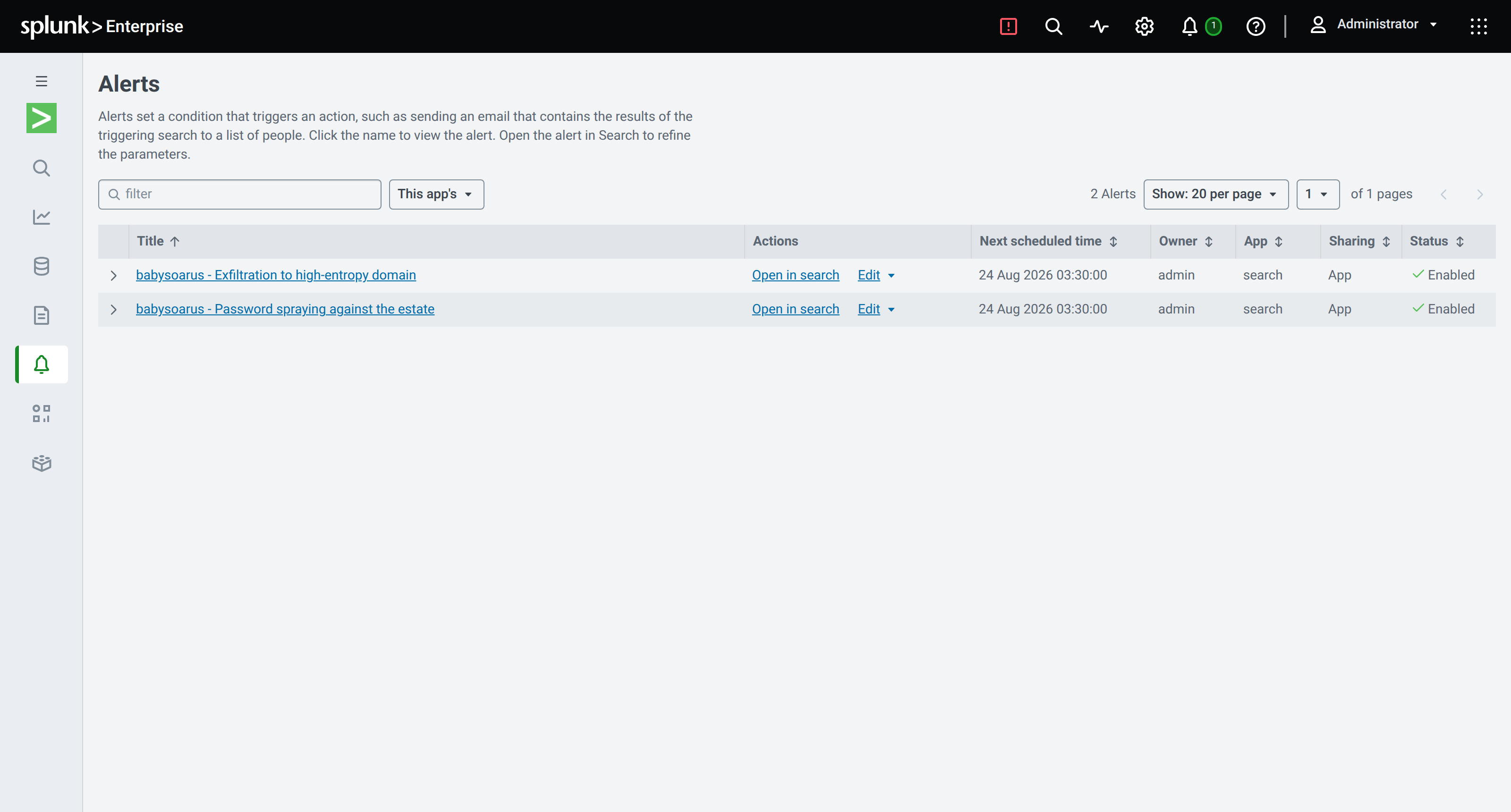
What the Action Receives
The same interface as exec: events holding the alert's result rows, plus
http_request, splunk_request, auth_headers, base_url and context.
Rows arrive in micro-batches of 32, so an alert returning 500 rows calls your code 16 times. Anything that must happen once per alert rather than once per batch needs guarding, exactly as in a search:
try:
    already_notified
except NameError:
    already_notified = set()
An alert with no results still runs the code once, with events empty, so
side-effect-only actions still fire.
Opening a Case
The most common thing an alert action does.
import datetime

if not events:
    raise SystemExit

# One case for the whole alert, not one per row.
summary = {
    'title': f"Exfiltration suspected: {len(events)} destination(s)",
    'severity': 'high' if any(int(e.get('risk_score', 0)) > 70 for e in events) else 'medium',
    'source': 'splunk/BabySOARus',
    'created': datetime.datetime.utcnow().isoformat() + 'Z',
    'observables': [
        {'type': 'domain', 'value': e['dest_host'], 'score': e.get('risk_score')}
        for e in events
    ],
    'hosts': sorted({e.get('host', '') for e in events if e.get('host')}),
    'search_name': context.get('search_name', ''),
    'sid': context.get('sid', ''),
}

r = http_request(
    'POST',
    'https://cases.example.internal/api/v1/cases',
    headers={'Authorization': 'Bearer ' + CASE_TOKEN, 'Content-Type': 'application/json'},
    body=summary,
    timeout=20,
)
if r['status'] not in (200, 201):
    raise BabysoarusError(f'case creation failed with {r["status"]}: {r["body"][:200]}')

case = json.loads(r['body'])
for e in events:
    e['case_id'] = case['id']
    e['case_url'] = case['url']
Raising fails the action, which Splunk records and shows in the alert's history. A silently half-completed action is worse than a visibly failed one.
Notifying with Useful Content
The value is not the notification, it is what is in it.
lines = []
for e in sorted(events, key=lambda e: -int(e.get('risk_score', 0)))[:5]:
    lines.append(
        f"• *{e['dest_host']}* from `{e.get('host', '?')}` "
        f"({e.get('megabytes_out', '?')} MB, score {e.get('risk_score', '?')})\n"
        f"  _{', '.join(e.get('reasons', []))}_"
    )

blocks = {
    'text': f"{len(events)} exfiltration candidate(s)",
    'blocks': [
        {'type': 'header',
         'text': {'type': 'plain_text', 'text': '🔴 Possible data exfiltration'}},
        {'type': 'section',
         'text': {'type': 'mrkdwn', 'text': '\n'.join(lines)}},
        {'type': 'context',
         'elements': [{'type': 'mrkdwn',
                       'text': f"Search: {context.get('search_name', '')} · "
                               f"<{base_url}/app/search/search?sid={context.get('sid', '')}|open in Splunk>"}]},
    ],
}

http_request('POST', WEBHOOK_URL, body=blocks, timeout=10)
The analyst who reads that message already knows what happened, which host, how much data and why it scored. They do not have to open Splunk to triage it.
Updating a Lookup
Alert actions can write lookup files, which is how you build state that outlives a single search.
import csv, os, datetime

path = '/lookups/apps/search/known_bad_domains.csv'
today = datetime.date.today().isoformat()

existing = {}
if os.path.exists(path):
    with open(path) as handle:
        existing = {row['domain']: row for row in csv.DictReader(handle)}

for e in events:
    domain = e['dest_host']
    row = existing.get(domain, {'domain': domain, 'first_seen': today, 'hits': '0'})
    row['last_seen'] = today
    row['hits'] = str(int(row.get('hits', 0)) + 1)
    row['max_score'] = str(max(int(row.get('max_score', 0)), int(e.get('risk_score', 0))))
    existing[domain] = row

with open(path, 'w', newline='') as handle:
    writer = csv.DictWriter(
        handle, fieldnames=['domain', 'first_seen', 'last_seen', 'hits', 'max_score'])
    writer.writeheader()
    writer.writerows(existing.values())
Guard the read so it happens once per alert rather than once per batch when the file is large.
Conditional Response
Not every alert deserves the same reaction. Decide in code.
CRITICAL_ASSETS = {'SRV-001', 'SRV-004', 'SRV-007'}

for e in events:
    host = e.get('host', '')
    score = int(e.get('risk_score', 0))

    if host in CRITICAL_ASSETS and score > 70:
        e['response'] = 'isolate'
        http_request('POST', f'{EDR}/api/hosts/{host}/isolate',
                     headers={'Authorization': 'Bearer ' + EDR_TOKEN}, timeout=30)
        http_request('POST', PAGER_URL,
                     body={'severity': 'critical', 'summary': f'Isolated {host}'})
    elif score > 70:
        e['response'] = 'ticket'
        http_request('POST', TICKETS_URL, body={'priority': 'P1', 'host': host})
    else:
        e['response'] = 'watchlist only'
That is a playbook. It is fifteen lines, it is in version control, and it does not need a separate platform. See Replacing SOAR workflows.
Handling Credentials
Do not put API tokens in the snippet. Splunk's secret storage is reachable through the REST API using the search's own credentials:
r = splunk_request(
    'GET',
    '/servicesNS/nobody/babysoarus/storage/passwords/%3Acase_api_token%3A?output_mode=json')
CASE_TOKEN = json.loads(r['body'])['entry'][0]['content']['clear_password']
Store the secret once with splunk edit or the REST API, and reference it by
name. The snippet then contains no secrets and is safe to commit.
Debugging
The action logs to splunkd.log, and it says what it did:
grep babysoarus-alert $SPLUNK_HOME/var/log/splunk/splunkd.log
INFO babysoarus-alert: search="Exfiltration to high-entropy domain" sid="scheduler__admin__..." rows=3
INFO babysoarus-alert: processed 3 row(s)
Failures are logged with their message and exit non-zero, so Splunk marks the action failed and shows it in the alert's action history.
To test without waiting for a schedule, run the binary directly with a payload on stdin:
echo '{
  "results_file": "/tmp/results.csv.gz",
  "server_uri": "https://127.0.0.1:8089",
  "session_key": "...",
  "search_name": "manual test",
  "configuration": {"inline": "for e in events: e[\"seen\"] = 1"}
}' | BABYSOARUS_APP_DIR=$SPLUNK_HOME/etc/apps/babysoarus \
     $SPLUNK_HOME/etc/apps/babysoarus/bin/babysoarus-alert --execute
Limits
max_resultsinalert_actions.confcaps the rows handed to the action.- The same 30-second-per-batch execution budget applies.
- The action runs on the search head that ran the search.
- A failing action does not retry. Make failures loud rather than silent.